Breathedge 2 Save File Location: Cloud Saves and Backups
Breathedge 2 saves live in AppData Local Breathedge2Game. The exact verified path, Steam Cloud quota, the flight-scene save rule, and how to back up.
FAQ
Does Breathedge 2 support Steam Cloud?
Where are saves on Steam Deck or Linux?
Why can't I save during a flight scene?
Where saves are stored
Breathedge 2 runs on Unreal Engine 5, and it follows the standard UE5 convention. Your saves are .sav files here:
%USERPROFILE%\AppData\Local\Breathedge2Game\Saved\SaveGames\Expanded, that is C:\Users\<you>\AppData\Local\Breathedge2Game\Saved\SaveGames\.
How this is verified: the developer’s own Steam Auto-Cloud configuration — visible on SteamDB’s cloud page for the game — syncs exactly that folder (WinAppDataLocal / Breathedge2Game/Saved/SaveGames, pattern *.sav). A developer-configured cloud mapping mirrors the local path one-to-one, which pins the location down better than any forum post.
The folder name to remember is Breathedge2Game — the UE5 project name, not the marketing title. That trips people up because the game’s install folder is named Breathedge2. Saves do not live in the install directory at all; that was the original Breathedge’s behavior, and the sequel moved to the standard user-profile location.
Steam Cloud behavior
Steam Cloud is enabled, and it syncs that SaveGames folder automatically:
- Quota: 400 MB, up to 100 files
- What syncs: every
.savfile in the folder, in place - Conflicts: Steam’s standard behavior applies — it keeps cloud and local copies in sync and prompts you when both changed
One caveat that is specific to this game: since hotfix 0.8.7, the game refuses to save until you have fully exited a flight scene. Players mid-flight-sequence sometimes read that as cloud trouble. It is not — it is a deliberate anti-softlock rule. Land first, then save. The same hotfix also fixed two bugs that could destroy saves: saving at the very end of a shuttle flight, which softlocked the game when loaded, and the depot yoke breaking save and load. Those notes ask you to write in with an affected save at info@breathedge.com — the developers checked every save sent to them and found them all loading correctly. And 0.8.8 settled the intro: saving in the starting scene works from the moment the kid leaves your train car. The patch notes tracker carries the full list.
How to back up or move a save
Because saves are plain files in one folder, backups are manual and painless:
- Press
Win + R, paste%USERPROFILE%\AppData\Local\Breathedge2Game\Saved\SaveGames, and hit Enter. - Copy the
.savfiles (or the whole folder) somewhere safe — aBackupsfolder, an external drive, wherever. - To restore, drop the files back in. Do it with the game closed so Steam Cloud does not sync a half-written state.
To move a save between machines, the same copy works — or just let Steam Cloud do it by signing into the same Steam account. The game is Windows-only, so on Linux or Steam Deck the same files live inside the Proton prefix (compatdata/2412960 — the number is the game’s Steam app ID). Related reading: the system requirements guide covers the Steam Deck’s Verified status.
If a save acts up
- Verify the game files first: Steam → right-click the game → Properties → Installed Files → Verify integrity of game files.
- Check the hotfix level. The launch window shipped fixes at a rapid pace (0.8.5 through 0.8.9 in two weeks — see the patch notes tracker); an outdated build explains more “bugs” than people expect.
- Report it in-game. Esc → Report a Bug can attach the save file itself, which is exactly what the developers ask for.
A warning about wrong paths online
Several fan sites claim Breathedge 2 saves live in AppData\LocalLow\RedRuins Softworks\... and that the game runs on Unity. Both claims are wrong. Those articles were published before the game even released — some two weeks before launch — and they contradict themselves between prose and tables. Breathedge 2 is Unreal Engine 5, and the path in this guide is pinned to the developer’s own cloud configuration. This wiki lists its sources for every claim; be suspicious of any save-location page that does not.
If you followed a LocalLow path guide and found an empty folder, that is why. The real folder is AppData\Local\Breathedge2Game\Saved\SaveGames. For the other launch-window technical questions — languages and voice acting, or how long Early Access runs — the technical section has separate guides.
Sources
Checked against Early Access build 0.8.11 (September 2026); the save-rule changes re-read on October 21, 2026:
- SteamDB — Breathedge 2 cloud saves (UFS) (developer Auto-Cloud config: WinAppDataLocal / Breathedge2Game/Saved/SaveGames, *.sav, 400 MB / 100 files)
- SteamDB — detected technologies (Unreal Engine; Windows-only executable)
- SteamDB — patchnotes (0.8.7 flight-scene save restriction and shuttle-flight save fixes; 0.8.8 intro save rule)
- PCGamingWiki — Breathedge (original game saved to its install folder — contrast for the sequel’s move)
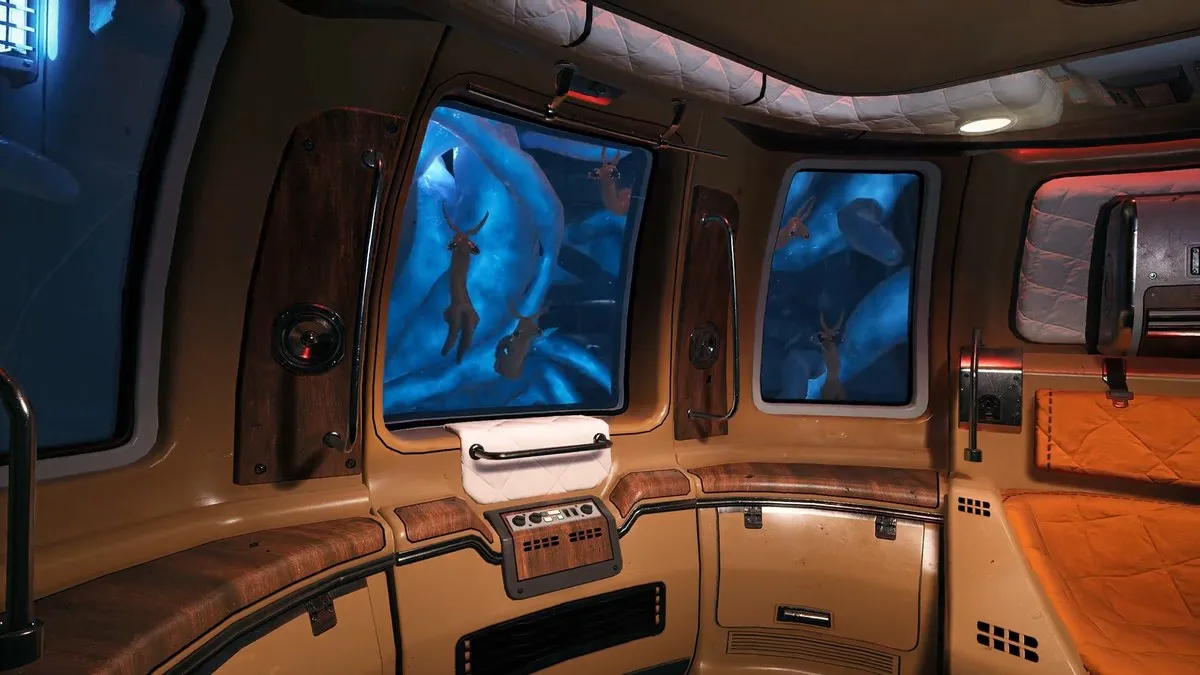
- Cover: frame from the official Breathedge 2 launch trailer via Steam
Related Articles
guides
Breathedge 2 Chapter 1 Walkthrough: The Full Story Route in Order
The full Breathedge 2 Chapter 1 route in order: survive the opening, power the train, fix the Three Antennas, cross the cold gate, and shut down the signal jammer.
guides
What to Do After Beating Breathedge 2 Chapter 1 (Post-Game Checklist)
The story pauses after Chapter 1 and the world stays open: 16 side quests, 50 collectibles, 39 achievements, and Chapter 2 prep — every post-game objective listed.
guides
Breathedge 2 Chapter 1 Ending Explained: Transmission, Coordinates, What's Next
What the Chapter 1 finale transmission reveals: Mary's coordinates, the crew betrayer, the cliffhanger, and what to do after the ending.
Was this helpful?
Thanks — the Chicken nods approvingly.